Nederlands

The best bike computers of 2026

Navigation, training data and your sensors on one screen. These are the bike computers we run on our own bars.

Updated November 2026 · by Alan

A bike computer shows how fast, how far and how long you ride, but these days the real value lies in navigation, training data and the link with your sensors. The difference between models comes down to mapping, screen size, battery life and how easily you get routes from Komoot or Strava onto the unit. Below are the bike computers we recommend most often, with a note on who each one suits best.

In short: our picks

Our picks

  1. Garmin Edge 850 Our pick
  2. Wahoo Elemnt Roam V3 Best value
  3. Garmin Edge 1050 Biggest screen
Garmin Edge 8501
Our pick

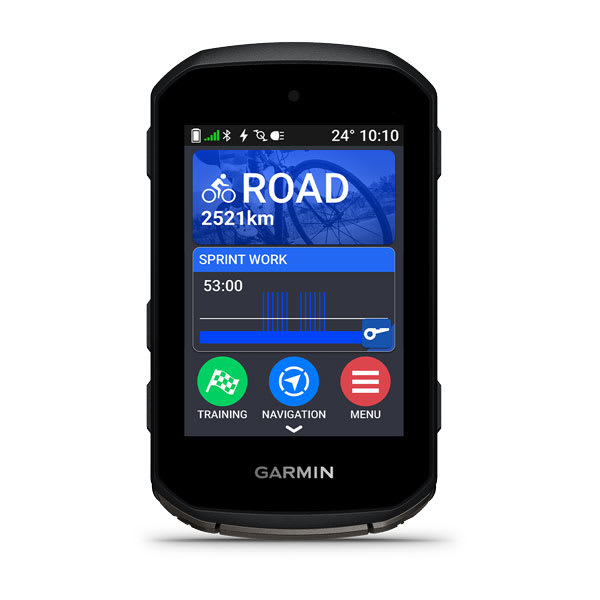
Garmin Edge 850

Garmin

Expert review

4.5/5

The Edge 850 is essentially a compact Edge 1050: the same bright 1,000-nit colour screen, but in the body of an 840. You get a touchscreen and physical buttons, so it stays usable with wet gloves on. It adds a speaker for turn-by-turn voice navigation, a digital bell, Garmin Pay and on-device route planning.

Who it suits: Riders who want one computer that does everything: training, navigation and day rides of up to around 10 hours.

  • Touchscreen and buttons
  • Sharp, bright screen
  • Speaker, bell and Garmin Pay
  • Battery well down on the Edge 840
  • Pricier than its predecessor
Screen
2.7" (420×600)
Controls
Touch + buttons
Battery
12 h (36 h battery saver)
Weight
112 g
Maps
Yes, over Wi-Fi
Storage
64 GB
€ 549shop price

Available at webshop.cc5311.nl

Full review, specs and comparison

Rider reviews

Wahoo Elemnt Roam V32
Best value

Wahoo Elemnt Roam V3

Wahoo

Expert review

4.5/5

The Roam V3 pairs Wahoo's calm, uncluttered interface with a touchscreen for the first time, plus a speaker for voice navigation and a digital bell. The display now shows 16 million colours instead of 64, and battery life comfortably beats the bright-screen Garmins. The app is among the easiest to set up.

Who it suits: Riders who mainly follow routes from Komoot, Strava or RideWithGPS and have no patience for deep menus.

  • Long battery life
  • Very straightforward app
  • Solid navigation with rerouting
  • Touch is patchy with wet hands or gloves
  • No route building in the app itself
Screen
2.8" (320×480)
Controls
Touch + buttons
Battery
25 h (around 20 h in practice)
Weight
109 g
Maps
Yes, colour
Storage
64 GB
€ 449.99shop price

Available at webshop.cc5311.nl

Full review, specs and comparison

Rider reviews

Garmin Edge 10503
Biggest screen

Garmin Edge 1050

Garmin

Expert review

4/5

Garmin's flagship, with the largest and brightest screen in the range. Maps are far easier to read than on the smaller models. It has a speaker with a bell, Garmin Pay, hazard reports from other riders and multi-band GPS. New routes and settings are quick to set up from your phone.

Who it suits: Riders who navigate a lot in unfamiliar terrain and want the biggest screen.

  • Large, bright screen
  • Fast processor
  • Battery ample for long rides
  • Big and heavy (161 g)
  • Expensive
Screen
3.5" (480×800)
Controls
Touch
Battery
20 h (60 h battery saver)
Weight
161 g
Maps
Yes, preloaded
Storage
64 GB
€ 589.99shop price

Available at webshop.cc5311.nl

Full review, specs and comparison

Rider reviews

Hammerhead Karoo 34
Best for SRAM AXS

Hammerhead Karoo 3

Hammerhead

Expert review

4/5

The Karoo 3 feels the most like a smartphone: a large, sharp touchscreen and smooth map rendering. Hammerhead is owned by SRAM, so AXS shifting, power meters and tyre pressure sensors appear automatically per bike. Maps for the whole world are free to download.

Who it suits: Riders on SRAM AXS who want a slick, smartphone-like interface.

  • Deep SRAM AXS integration
  • Sharp, large screen
  • Free worldwide maps
  • No native Shimano Di2 support
  • Harder to read in bright sunlight
Screen
3.2" (480×800)
Controls
Touch + buttons
Battery
15 h
Weight
118 g
Maps
Yes, free worldwide
€ 449shop price

Available at webshop.cc5311.nl

Full review, specs and comparison

Rider reviews

Garmin Edge 5505
Best button-operated

Garmin Edge 550

Garmin

Expert review

4/5

The same body and the same bright screen as the Edge 850, but without the touchscreen, speaker and Garmin Pay. Everything runs off buttons, which is a plus in the rain and with thick gloves. You still get Garmin's full training and navigation feature set for less money.

Who it suits: Riders who prefer buttons to a touchscreen and mostly train.

  • Dependable button control
  • Same screen as the 850
  • Full Garmin training features
  • No address search or on-device route building
  • Shorter battery life than the Edge 540
Screen
2.7" (420×600)
Controls
Buttons
Battery
12 h (36 h battery saver)
Weight
110 g
Maps
Yes, over Wi-Fi
Storage
32 GB
€ 449shop price

Available at webshop.cc5311.nl

Full review, specs and comparison

Rider reviews

Wahoo Elemnt Bolt V36
Compact and simple

Wahoo Elemnt Bolt V3

Wahoo

Expert review

4/5

Small, aerodynamic and free of frills. You operate it with buttons, the colour screen is easy to read and navigation runs through the same straightforward Wahoo app. If you mainly want to see your data and occasionally follow a route, this is enough computer.

Who it suits: Racers and training-focused riders who want a small head unit.

  • Compact and light
  • Simple to operate
  • Keen price
  • Small screen for maps
  • No touchscreen
Screen
2.3"
Controls
Buttons
Battery
around 20 h
Weight
84 g
Maps
Yes, preloaded
€ 329.99shop price

Available at webshop.cc5311.nl

Full review, specs and comparison

Rider reviews

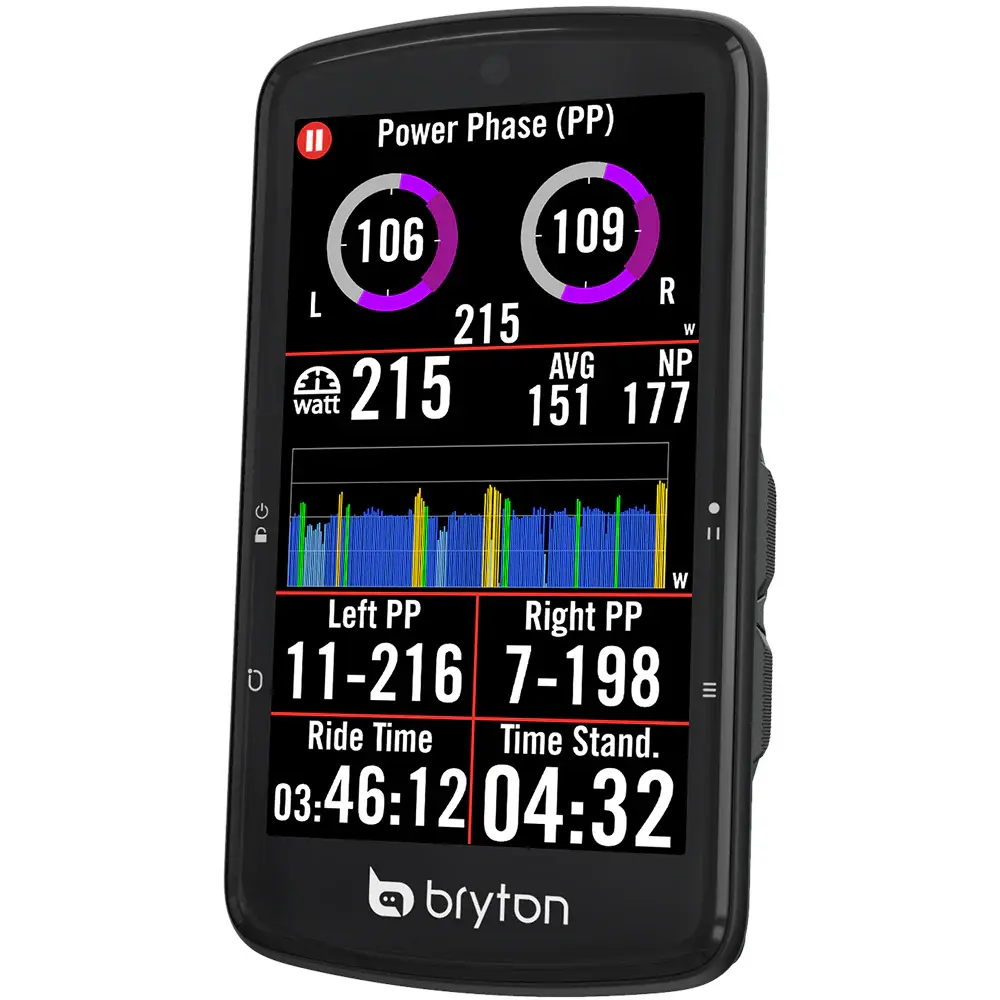
Bryton Rider S8107
Budget pick

Bryton Rider S810

Bryton

Expert review

3.5/5

A large 3.5-inch touchscreen and the longest claimed battery life in this list, for less than half the price of an Edge 1050. Maps come preloaded. A small adapter kit lets it sit on a Garmin mount.

Who it suits: Riders who want a big screen and long battery life without spending much.

  • Large screen
  • Very long battery life
  • Keen price
  • Software less polished
  • Syncs only through the phone (no Wi-Fi)
Screen
3.5"
Controls
Touch
Battery
50 h (20-30 h in practice)
Weight
116 g
Maps
Yes, OpenStreetMap
± € 300indicative

Available at Futurumshop

Full review, specs and comparison

Rider reviews

Buying guide: how to choose the right bike computers

Which bike computer suits the way you ride?

Start with your rides rather than the brand. If you mainly train to power and heart rate, you want a computer that loads workouts and reads your sensors reliably. If you like riding new routes or multi-day tours, maps on the device, rerouting without a phone and long battery life matter more. And if you mostly want speed, distance and a line to follow, the flagship models charge you for features you will not use.

For most riders a compact unit with maps is the best balance. That is why the Garmin Edge 850 tops our list: a bright 2.7-inch screen, touch and buttons, and route building on the device itself. If you do not need a touchscreen, the Garmin Edge 550 gives you the same screen with buttons only, for less money.

The brand decides the app, and the app decides how much you enjoy it

Garmin offers the most features and the deepest settings, which also makes the menus busier. Wahoo sets almost everything through the app on your phone, which keeps the unit itself uncluttered. Hammerhead feels the most like a smartphone and, since the SRAM takeover, is strongest at linking with AXS groupsets. Bryton is the budget choice with a lot of features for the money.

If you plan routes in Komoot or Strava, check how they reach the device. With Garmin, Wahoo and Hammerhead, Komoot routes sync automatically, which saves a faff before every ride.

Battery life: read the small print

The battery life manufacturers quote is usually measured in a low-power mode. For the Edge 550 and 850, for instance, Garmin quotes up to 12 hours in heavy use and up to 36 hours in battery saver. The Wahoo Elemnt Roam V3 is quoted at 25 hours, but in practice you land closer to 20. With the Bryton Rider S810 the gap is wider still: 50 hours quoted, 20 to 30 in practice.

If you ride for more than ten hours at a stretch, work with the real-world figure and carry a small power bank. Navigation, a bright screen and plenty of paired sensors (radar, power meter, electronic groupset) draw the most power.

Where buyers most often come unstuck

Two things crop up regularly in the shop. One: the mount does not fit the cockpit. Integrated bars often need a specific out-front mount, so check that before you order. Two: expectations about the screen. A large screen like the one on the Garmin Edge 1050 is superb for maps, but it weighs more and draws the eye. On a road bike, plenty of riders end up going compact after a while.

What to look for in bike computers

Navigation and maps

If you want to reroute on the move or find your way back without a phone, choose a model with maps on the device itself. Simpler units only show a line, or need your phone to calculate a new route.

Battery life

How long a battery lasts depends heavily on screen brightness, navigation and the number of paired sensors. For long days or multi-day rides, look for models with a battery saver mode or solar charging.

Screen and controls

A larger screen is better for maps; a smaller unit is lighter and less conspicuous. Touchscreens feel intuitive, buttons are more dependable with gloves and in the rain.

Sensors

Virtually every modern bike computer supports ANT+ and Bluetooth. Check that your power meter, heart rate monitor, radar and, if relevant, your electronic groupset all play nicely with the brand you pick.

App and ecosystem

Planning routes, loading workouts and uploading rides all happen through the manufacturer's app. In practice that app decides how happy you are just as much as the unit itself.

Mounting

An out-front mount puts the computer ahead of your bars, clearly in view and often combinable with a light or camera. Check that a suitable mount exists for your bars or integrated cockpit.

Frequently asked questions

Do I need a bike computer if I already have a smartphone?

You can manage without, but a bike computer usually has far longer battery life, is easier to read in bright sunlight, copes with rain and crashes, and pairs with sensors more easily. That also leaves your phone charged for when you really need it.

What is the difference between ANT+ and Bluetooth?

Both are wireless ways to pair sensors. ANT+ lets one sensor connect to several devices at once; Bluetooth is more widely supported by phones and apps. Most sensors and bike computers now support both.

Does navigation work without a phone?

On models with maps on the device, yes: they calculate a new route themselves if you go off course. Simpler units need your phone to reroute on the move.

How long does the battery last?

It varies a lot by model and by use. Navigation, a bright screen and lots of paired sensors all draw more power. The battery life manufacturers quote is usually measured in a low-power mode, so expect less in practice.

Which Garmin Edge should you choose for gravel?

For gravel, maps on the device and a clearly readable screen matter most, because you go off route more often. The Edge 850 is a strong choice: a touchscreen to search the map, buttons for when it is rough or wet, and route building on the device. For long bikepacking trips the larger screen of the Edge 1050 is welcome. See also our article on which Garmin Edge to choose.

Is the Garmin Edge 850 worth the extra over the 550?

They share the same screen and the same battery. On top of that the 850 adds a touchscreen, a speaker for voice navigation, a digital bell and route building on the device. If you navigate a lot or often ride new routes, the 850 is worth the difference. If you mostly follow familiar loops and workouts, the 550 is enough.

Can I send Komoot routes to my bike computer?

Yes. With Garmin, Wahoo and Hammerhead you link your Komoot account in the app, after which planned routes appear on the device automatically. Other brands do it through their own app or by importing a GPX file.

Some links on this page are partner links. If you buy something at a shop through such a link, we earn a commission at no extra cost to you. It does not shape our choices. Quasar is our own brand, and we say so with every Quasar recommendation. Prices are indicative.